Cookies and consent
⚠️ Always load the Rek.ai script, no matter what the visitor chooses in your cookie banner
The Rek.ai script must be loaded on every page, for every visitor. Never let your cookie banner or consent tool block it. If the script is blocked, Rek.ai stops working for everyone who declines cookies or hasn't made a choice yet. If you want to require consent, require it for the storage, not for the script.
At a glance
| Needs consent? | What to do | |
|---|---|---|
| Loading the Rek.ai script | No | Always load it on every page, for every visitor. Don't let your consent tool block it. See Troubleshooting. |
| Storing data in the browser (session and local storage) | Your organization decides. About 95% of our customers say no. | No consent: nothing more to do. Consent: use Option 1 or Option 2. |
| Listing Rek.ai in your cookie policy | – | Required if you need consent for the storage, optional otherwise. Listing Rek.ai is not the same as letting the consent tool block the script. See Descriptions for consent tools. |
Does Rek.ai use cookies?
No. Rek.ai doesn't set any cookies.
Rek.ai uses the browser's session storage and local storage to remember which pages the visitor has looked at. This makes the recommendations more relevant.
- Session storage is deleted when the visitor closes the browser tab.
- Local storage keeps the dates of previous visits, so Rek.ai can recognize a returning visitor. You can see everything that is stored in Stored values below.
What data does Rek.ai handle?
Rek.ai is built to work without knowing who the visitor is.
- No identity. Rek.ai doesn't know who the visitor is or whether they are logged in. It cannot link page views to a specific person.
- No personal data is collected automatically. Rek.ai only receives what the script sends, such as which page is being viewed and anonymous information about the visit.
- You control what is sent. Personal data can only reach Rek.ai if your website's own code sends it. Never send names, e-mail addresses, user IDs or similar to Rek.ai. We are happy to review your setup with you during implementation.
Is consent required?
Under GDPR and the ePrivacy Directive, storage that is necessary for a website to function usually doesn't require consent. Storage used for tracking, analytics or advertising does.
Rek.ai's storage is only used to power recommendations on your own website. That's why about 95% of our customers classify Rek.ai as necessary and let it run without a consent category. Each organization makes its own assessment.
The rule: If you classify the storage as not necessary, it must wait for the visitor's consent, and Rek.ai must be listed in your cookie policy. You can use the descriptions for consent tools below.
How does storage affect the recommendations?
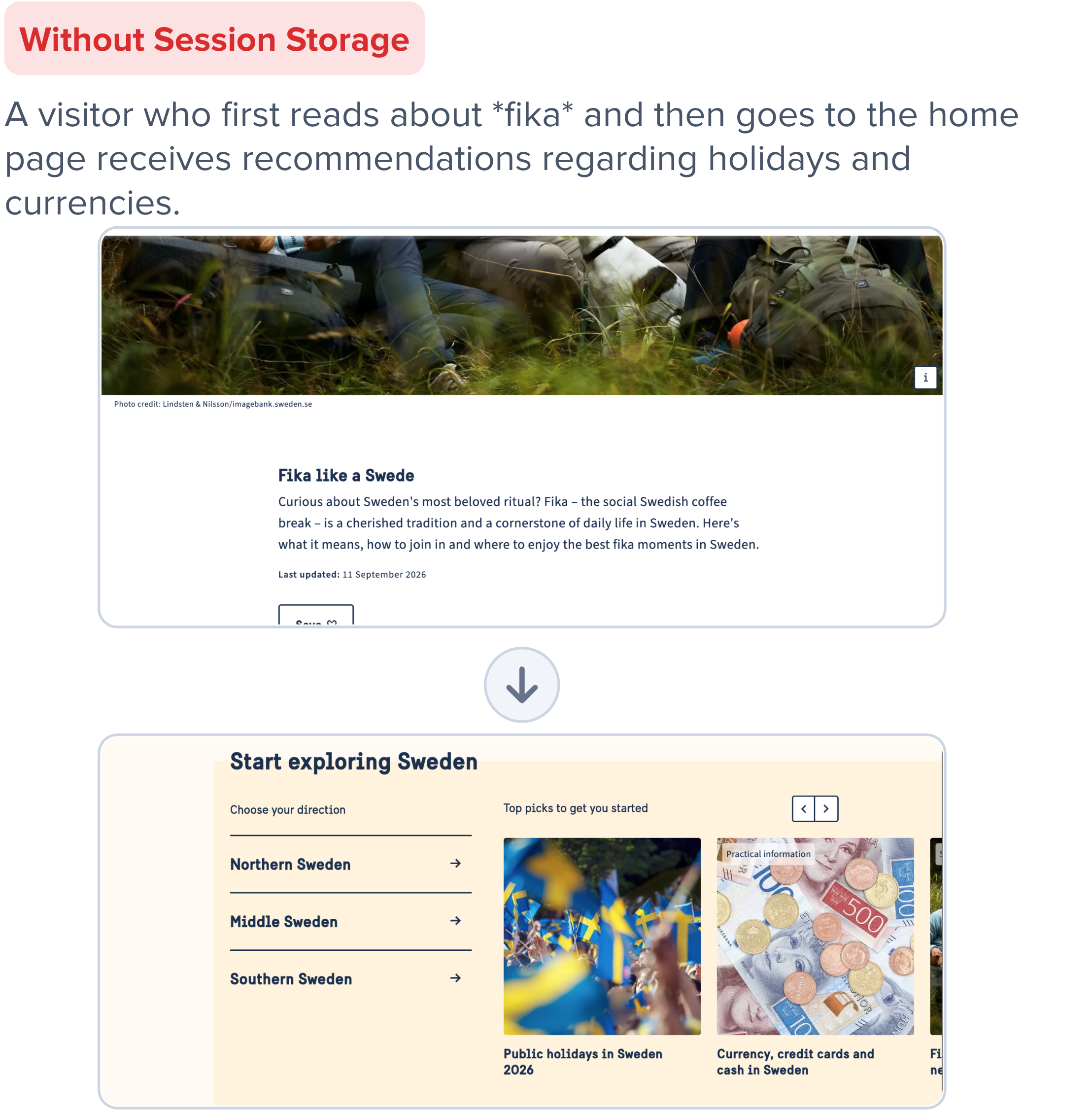
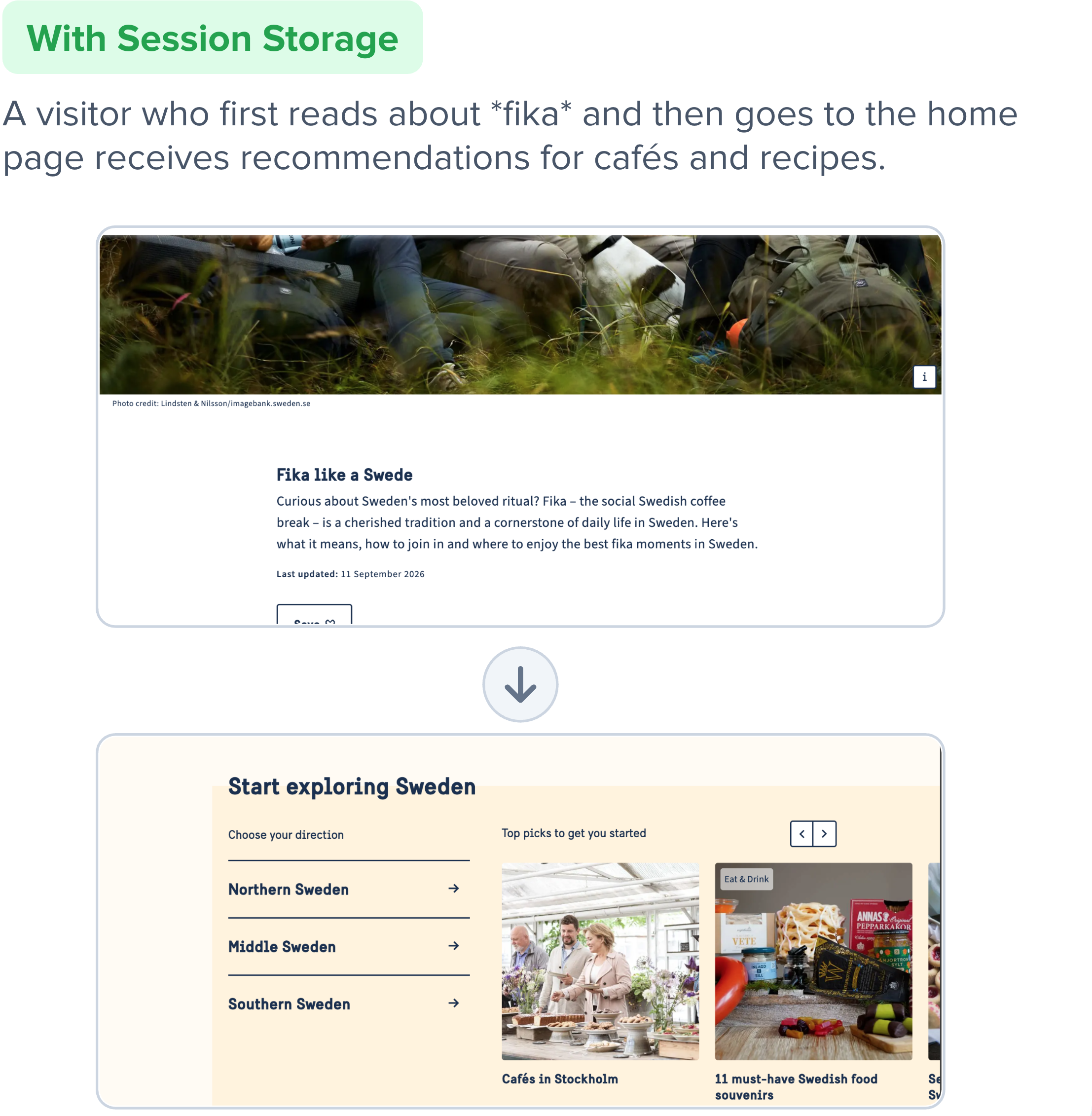
If you want to require consent
Rek.ai keeps working without session and local storage. It just can't follow the visit or recognize returning visitors, so the recommendations become about 20% less accurate.
Choose one of the two options below. In both options, the script is still loaded for every visitor. Only the storage changes.
Option 1: Store data only after consent
Use this option if you want Rek.ai to store data for visitors who accept, but not for visitors who decline.
Step 1. Add data-useconsent="true" to the script tag:
<script src="https://static.rekai.se/YOUR_SCRIPT_ID.js" data-useconsent="true" defer></script>The script loads as usual, but Rek.ai doesn't store anything about the visit until the visitor gives consent.
Step 2. Tell Rek.ai what the visitor chose. Set the value to true when the visitor gives consent:
window.__rekai = window.__rekai || {};
window.__rekai.consentaccepted = false; // set to true once consent is given
Using Cookiebot? If you want Rek.ai to wait with storing data until the visitor accepts "Statistic cookies", add data-useconsent="true" to the script tag, exactly as shown above.
Option 2: Never store data
Use this option if you don't want Rek.ai to store anything in the browser, for any visitor. Add this code wherever the Rek.ai script loads:
<script>
   window.__rekai = window.__rekai || {};
   // Block save to session storage
   window.__rekai.blockSaveToSessionStorage = true;
   // Block save to local storage
   window.__rekai.blockSaveToLocalStorage = true;
</script>
Since nothing is stored, this option removes the need for consent for Rek.ai altogether.
Remove stored data
To delete everything Rek.ai has stored in the visitor's browser, for example when a visitor withdraws consent, run:
window.__rekai.removeLocalAndSessionStorage();Descriptions for consent tools
If you use a consent tool, you usually need to describe Rek.ai and each stored value to your visitors. Suggested text:
This website uses Rek.ai to suggest relevant pages based on what you have viewed during your visit. No cookies are used and no personal data is stored.
Stored values
| Name | Identifier | Description | Description SE | Retention |
|---|---|---|---|---|
| Pages in session | sp[projectid] | Pages visited in this session | Sidor som besöktes under denna session | Deleted after session is closed |
| Last page | last[projectid] | Last page visited in this session | Senast besökta sidan i denna session | Deleted after session is closed |
| Orgreferrer | rekOrgRef | Original referrer address for this session | Ursprunglig referensadress för denna session | Deleted after session is closed |
| Session time | sessionstarttime | Date object for when session began | Datumobjekt för när sessionen började | Deleted after session is closed |
| Tabs in session | rektabs | Array of "section pages" the user has visited in the current session | Lista med "sektionssidor" som användaren har besökt under den aktuella sessionen | Deleted after session is closed |
| Dates | vds[projectid] | Array of dates the browser visited the site | Lista med datum som webbläsaren besökte webbplatsen | Saved in local storage over time |
| A setting | rekai_consent_accepted | A setting for accepted consent via a consent tool | En inställning för godkänt samtycke via ett consent-verktyg | — |
Troubleshooting
Rek.ai stopped working after we added a cookie banner
This is the most common problem. If the Rek.ai script is placed in a consent tool's Statistics or Analytics category, the tool usually stops the script from running until the visitor accepts that category. This happens in, for example, Sitevision's built-in cookie module, Cookiebot and OneTrust. The tool often does it by loading the script as type="text/plain" and only turning it into executable JavaScript after consent.
When that happens, data-useconsent and the window.__rekai settings never get a chance to run. Visitors who haven't consented get no recommendations at all, not the slightly less accurate version described above.
How to fix it: keep these two things separate.
- Declaring Rek.ai in your cookie policy or consent banner, so visitors know it's used. This can stay under Statistics or Analytics for transparency.
- Loading the script. The script tag should not go through the consent tool's automatic blocking. Load it directly on the page, and use Option 1 to control storage based on the visitor's choice. If your consent tool can't load the script without blocking it, use Option 2 instead. Rek.ai then works for every visitor without needing consent. Contact us if you need help with your consent tool.
How to check that the script is loaded
- Go to your website and decline cookies in the banner.
- Open the browser's developer tools (F12, or right-click and choose Inspect).
- Go to the Network tab and reload the page.
- Search for
rekai. If you can seestatic.rekai.se/...in the list, the script is loaded correctly.