Crawl website
Crawling your website is an important step in ensuring Rek.ai has the most up-to-date information about your content, especially useful after you've made significant changes to your website or added new content. Rek.ai normally crawls your website automatically every 2–12 hours, but you can manually trigger a crawl whenever you need to.
In the Rek.ai dashboard:
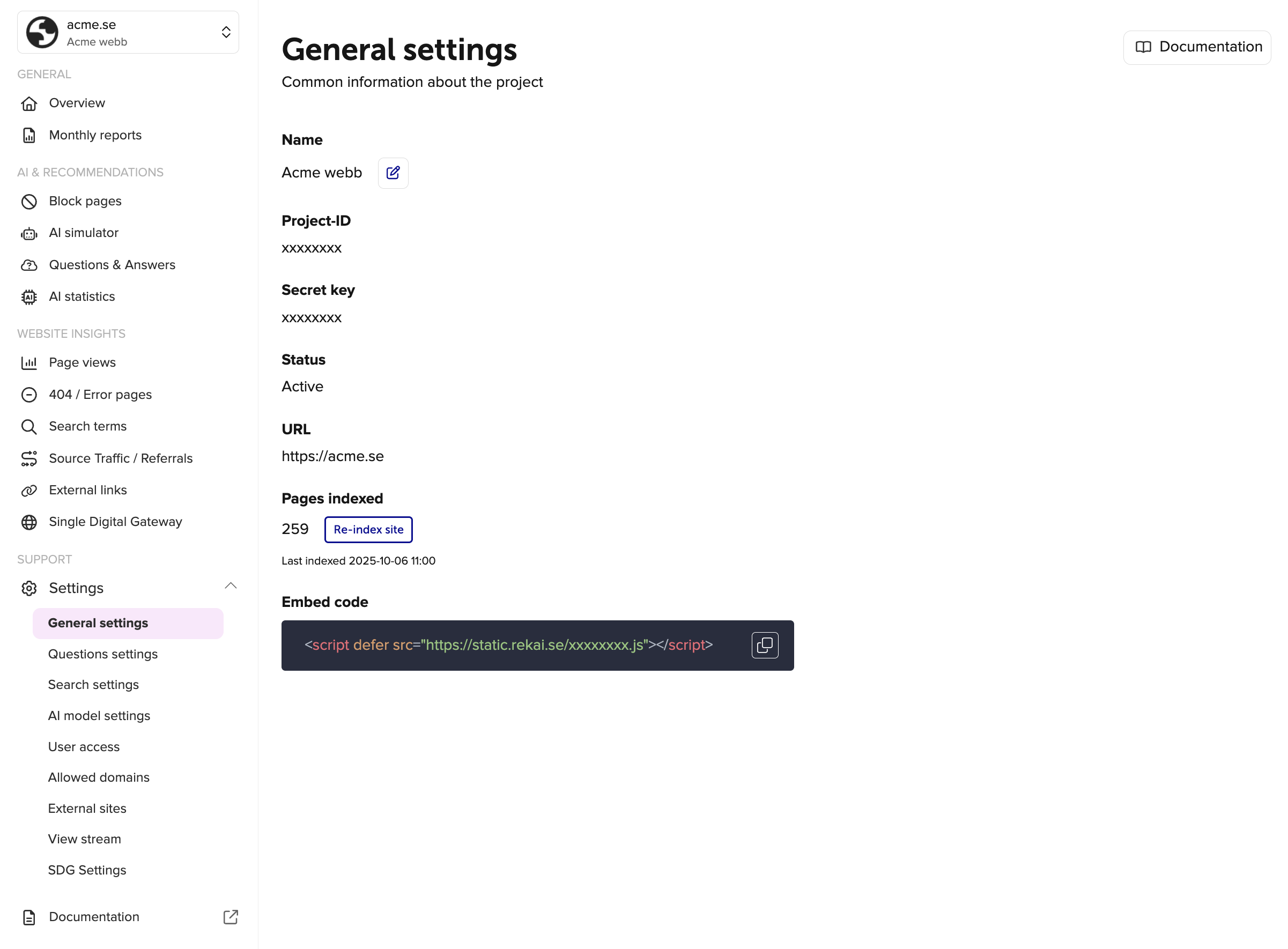
- Go to the "Settings" tab of your project.
- Click the "Re-index site" button.
In the Rek.ai API
You can also trigger a crawl of your website programmatically, using the Rek.ai API.
Endpoint:
POST http://admin.rek.ai/crawl/{projectId}Replace {projectId} with your actual project ID.
Required headers:
| Header | Description |
|---|---|
rek-secret | Your project's secret key. Used to authenticate your request. |
Example request:
POST http://admin.rek.ai/crawl/YOUR_PROJECT_ID
rek-secret: YOUR_PROJECT_SECRET
Example response:
{
    "message": "Site queued for crawl",
    "data": {
        "site": "nameofthesite"
    },
    "status": 200
}