Questions & Answers
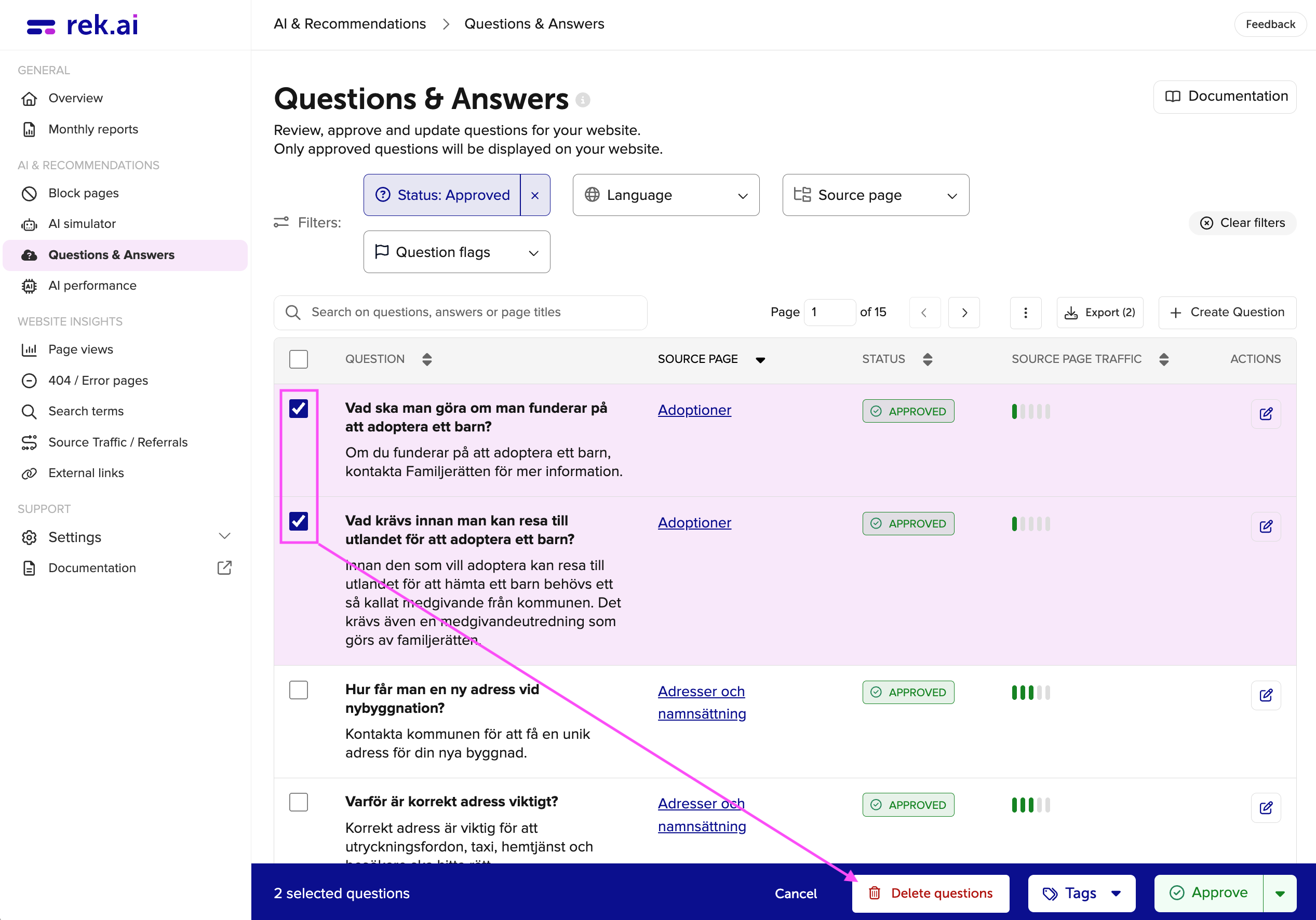
Under the Questions & Answers (opens in a new tab) section in Dashboard, you'll find all questions & answers created by generative AI on the website. If you'd like a brief overview of how the entire Questions & Answers page works, you can click the small icon on the right side of the "Questions & Answers" header in the Dashboard (opens in a new tab).
Before your questions can be shown as recommendations on the website, the first thing that needs to be done is to approve some in the Dashboard. After that, the AI model needs to be rebuilt, which happens once per day.
If you’re wondering whether the AI model has been rebuilt and your approved questions can be shown on the website, you can check here: Troubleshooting Questions & Answers.
Filters
- Search field: there's a search field where you can search for a specific question or keyword and view all related questions & answers below.
- Question: here you can see all the questions & answers that have been created based on the filtering you have applied.
- Source page: this indicates which page the question & answer are created from.
- Status: here you can see if the question & answer are approved, not reviewed or rejected.
- Actions: under actions, you can edit the question or answer. If you want to add or remove any part of it, add tags, enddate or prioritize it.
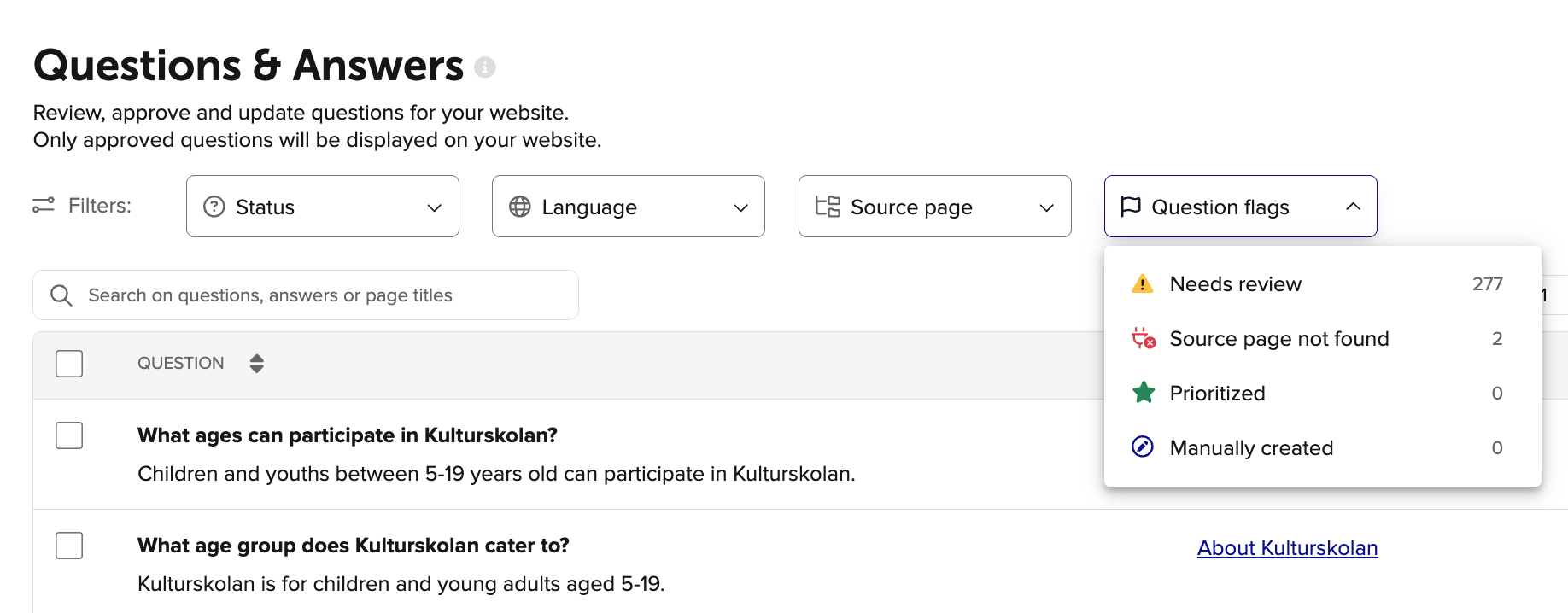
- Status: in the status field, you can view questions that are approved, not reviewed, or rejected. For example, if we sorted by "approved", we would see all three questions in the example above.
- Language: here, you can filter by the language in which the question & answer were created.
- Source page: under source page, you can filter through the website's structure. For instance, if we only wanted to see questions & answers created under the branch "Attefallsregler", we would see the bottom two questions. If we filtered by "Bygga, bo och miljö" (Building, living, and environment), we would see all three.
- Tags: if you have added tags to the questions under "actions", you can filter by those tags here.
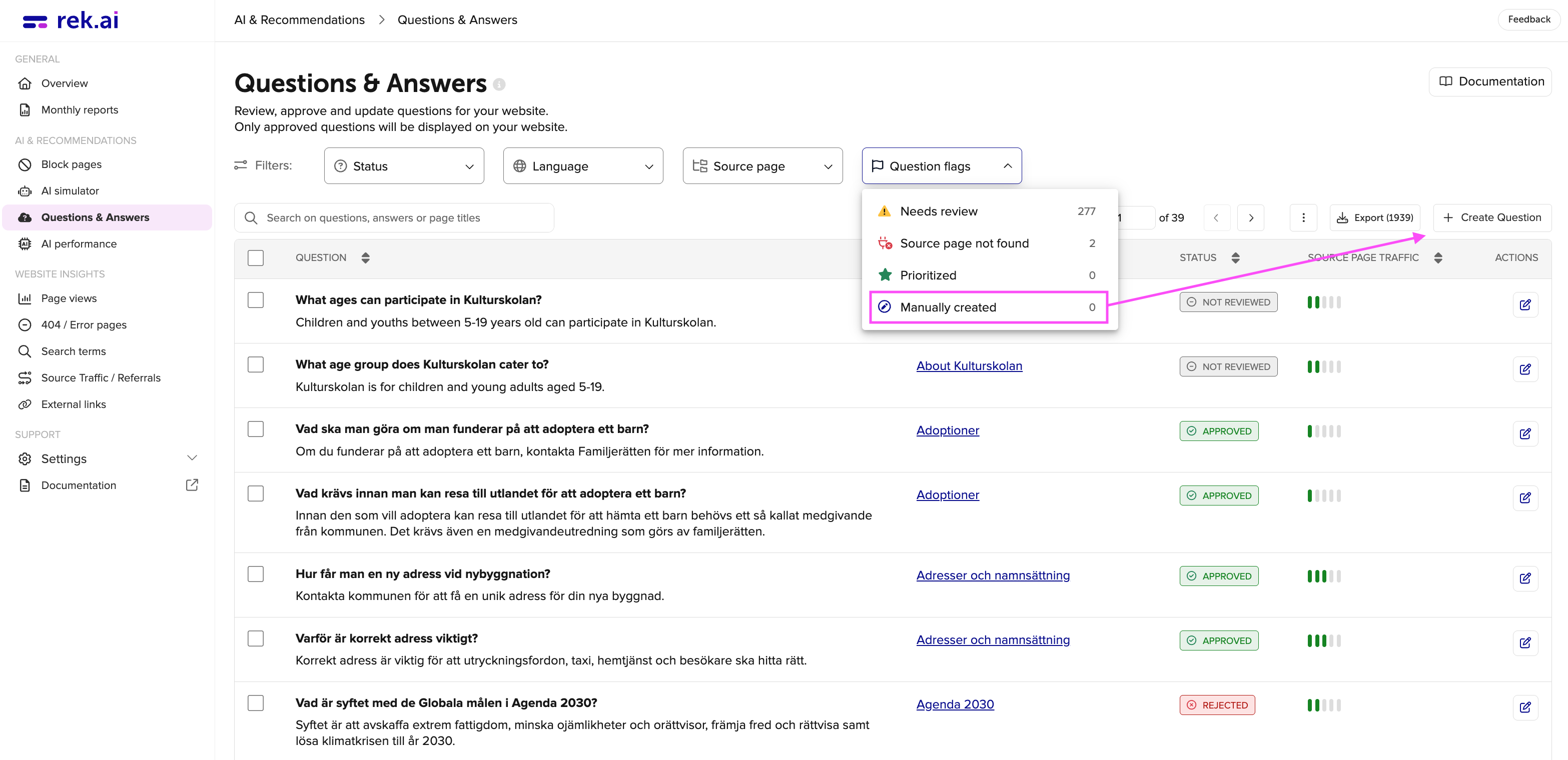
- Question flags: here, you can filter out all questions that have been flagged for review. You can read more about this further down in the guide.
Question flags
Needs review
Only approved questions can be flagged for review.
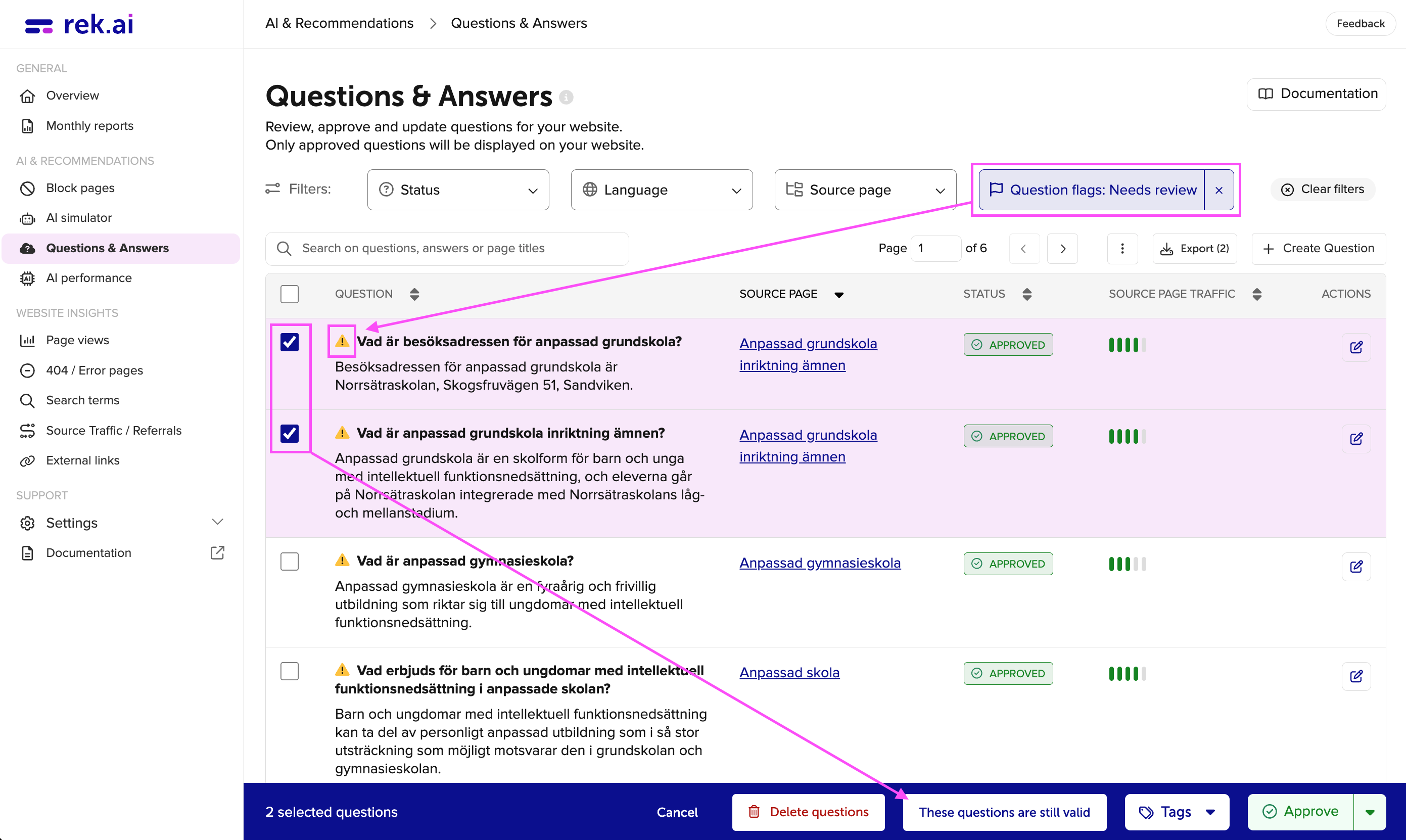
If a page has been updated after it was created, a flag will be shown and the question needs to be approved again. The questions will still be visible on the website, so it is recommended to review them to ensure everything looks correct. This can be done by clicking the “Edit” button or by selecting multiple items. Even if a question is listed under Needs Review, it will still be displayed on the website.
Source page not found
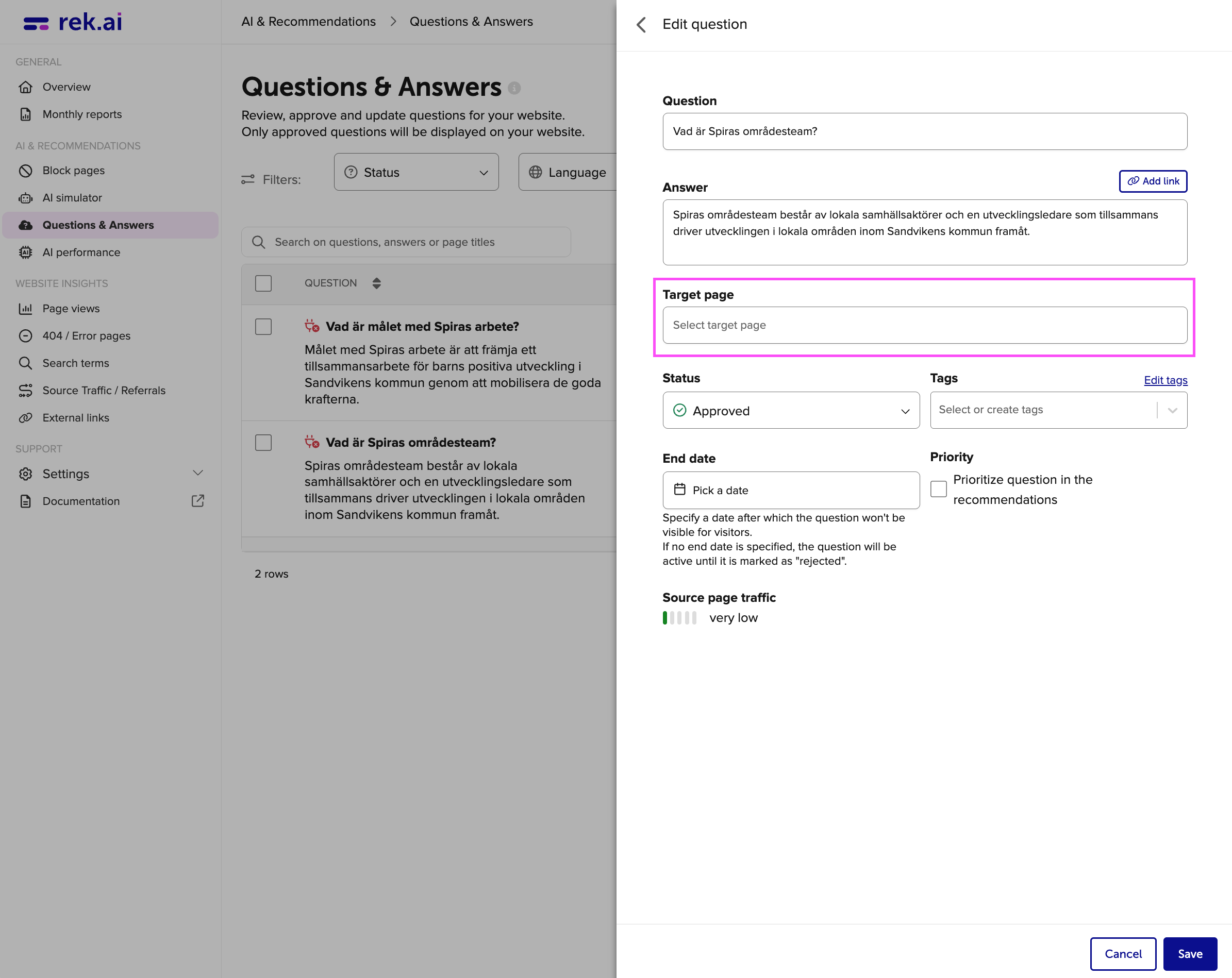
If a page has been removed or unpublished after a question has been approved, a flag will be shown and the question needs to be approved again. This can be done by clicking the “Edit” button or by selecting multiple items. Even if a question is listed under Source page not found, it will still be displayed on the website.
Prioritized
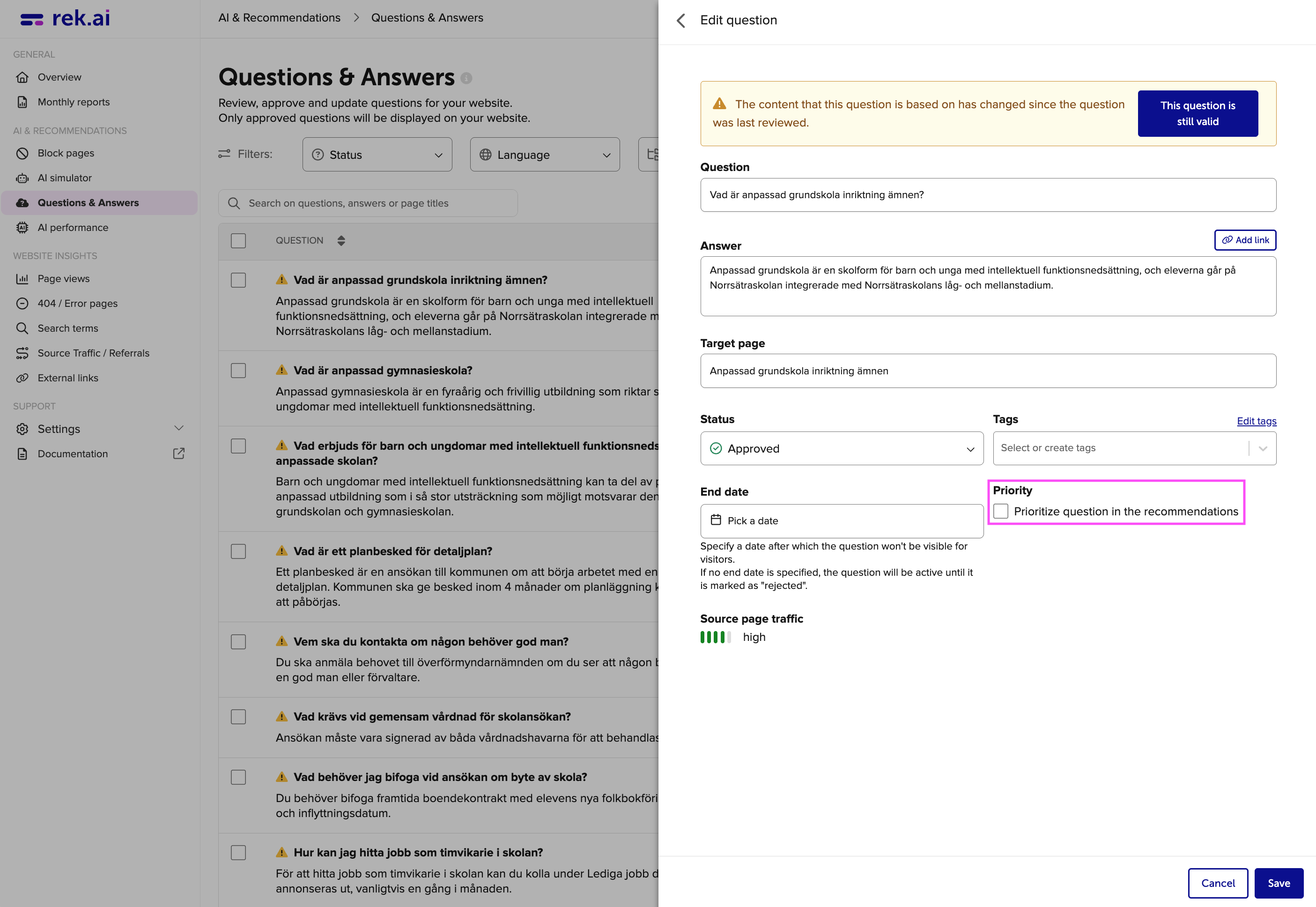
If you want a question to appear more frequently, select the option to prioritize it.
Manually created
If you want to create your own questions, click “Create question”. The question will then appear in the Question flags list.
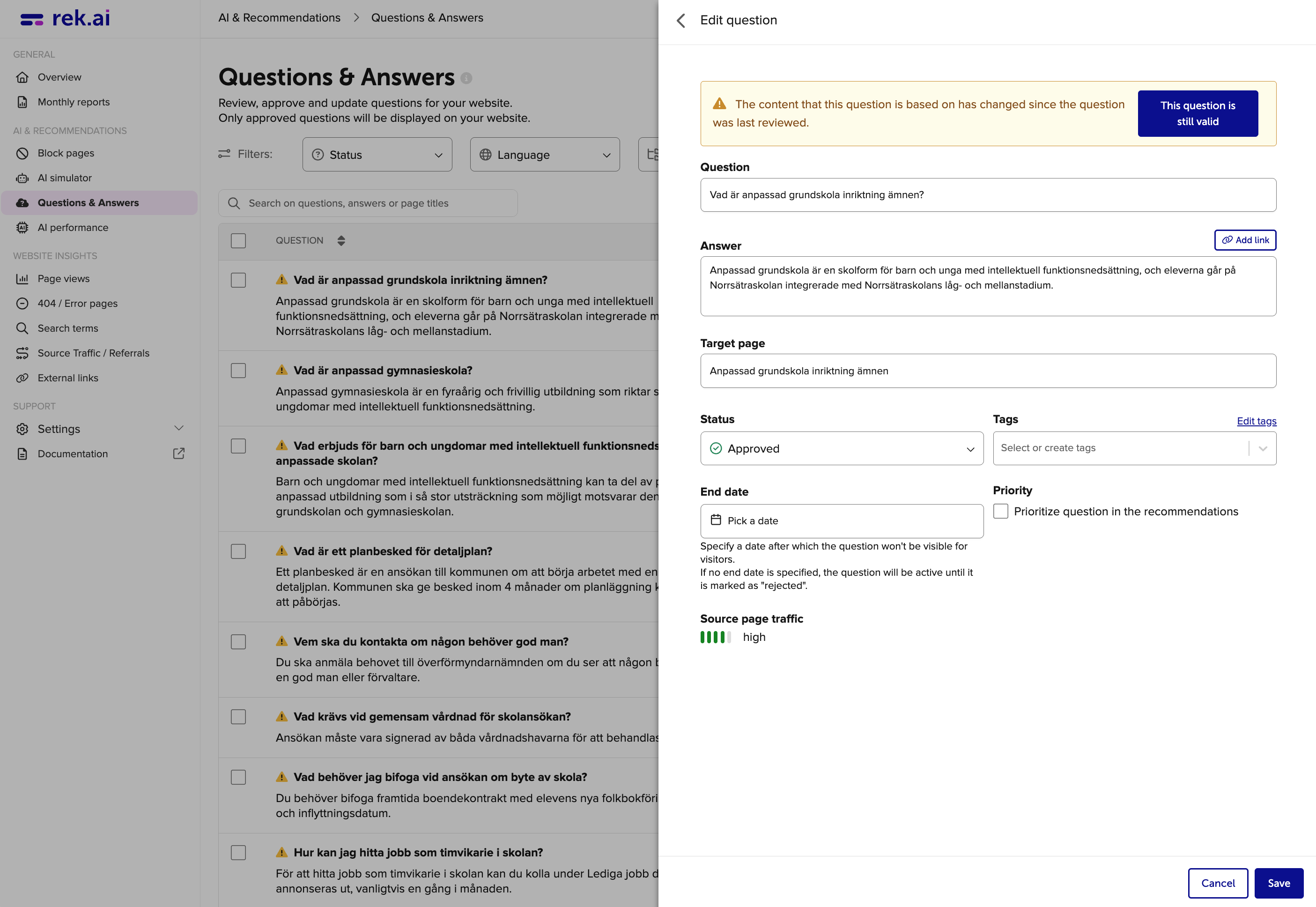
Enter the question, the answer and a target page (target page is the page that the question should be linked to). You can also add tags, choose to prioritize the question and set an end date if you don't want it to be shown after a certain date.
Delete questions
If you want to remove questions, that is perfectly fine. However, note that if you remove them, new questions will be generated on each page page the next time the site is crawled.
If you don't want questions to be generated on a specific section at all, you can instead go to Block Pages in the Dashboard and enter the section you want to block. It is also possible to see how many pages will be blocked from question generation. With these settings, the pages are only blocked from the Q & A function, not the recommendations.