Best Bets
Here you decide which page or link is shown first when visitors search for your most important words. This is useful when you always want to guide visitors to a specific page, for example a popular e-service or an important information page.
Where to find it: In the Dashboard (opens in a new tab), go to Settings → Search Settings → Best Bets in the left menu.
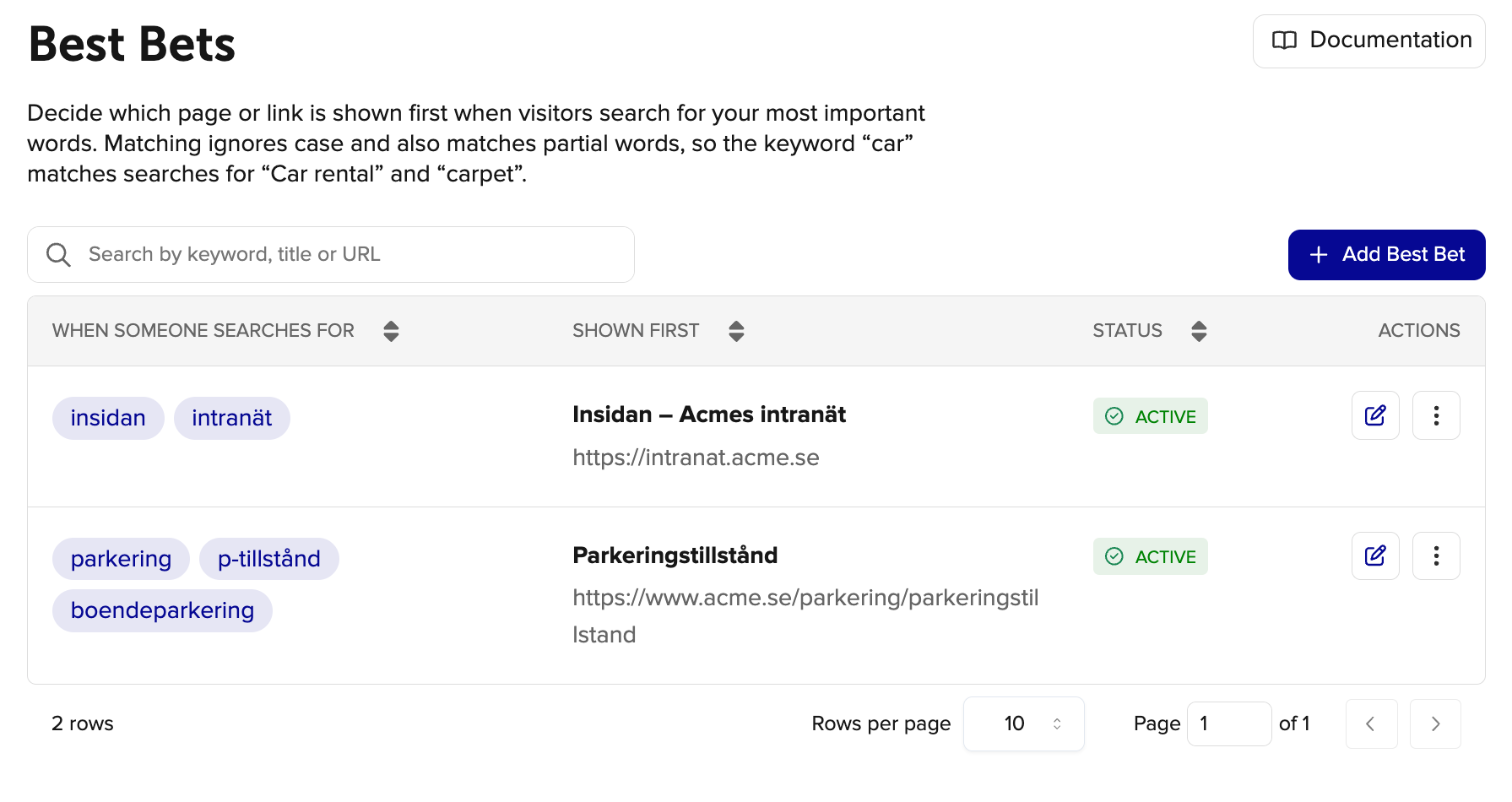
How matching works
Matching ignores case and also matches partial words, so the keyword "car" matches searches for "Car rental" and "carpet". Keep this in mind when choosing keywords, so that a short keyword doesn't trigger a Best Bet for unrelated searches.
Add a Best Bet
Click Add Best Bet to open the form. The same view opens when you edit an existing Best Bet.
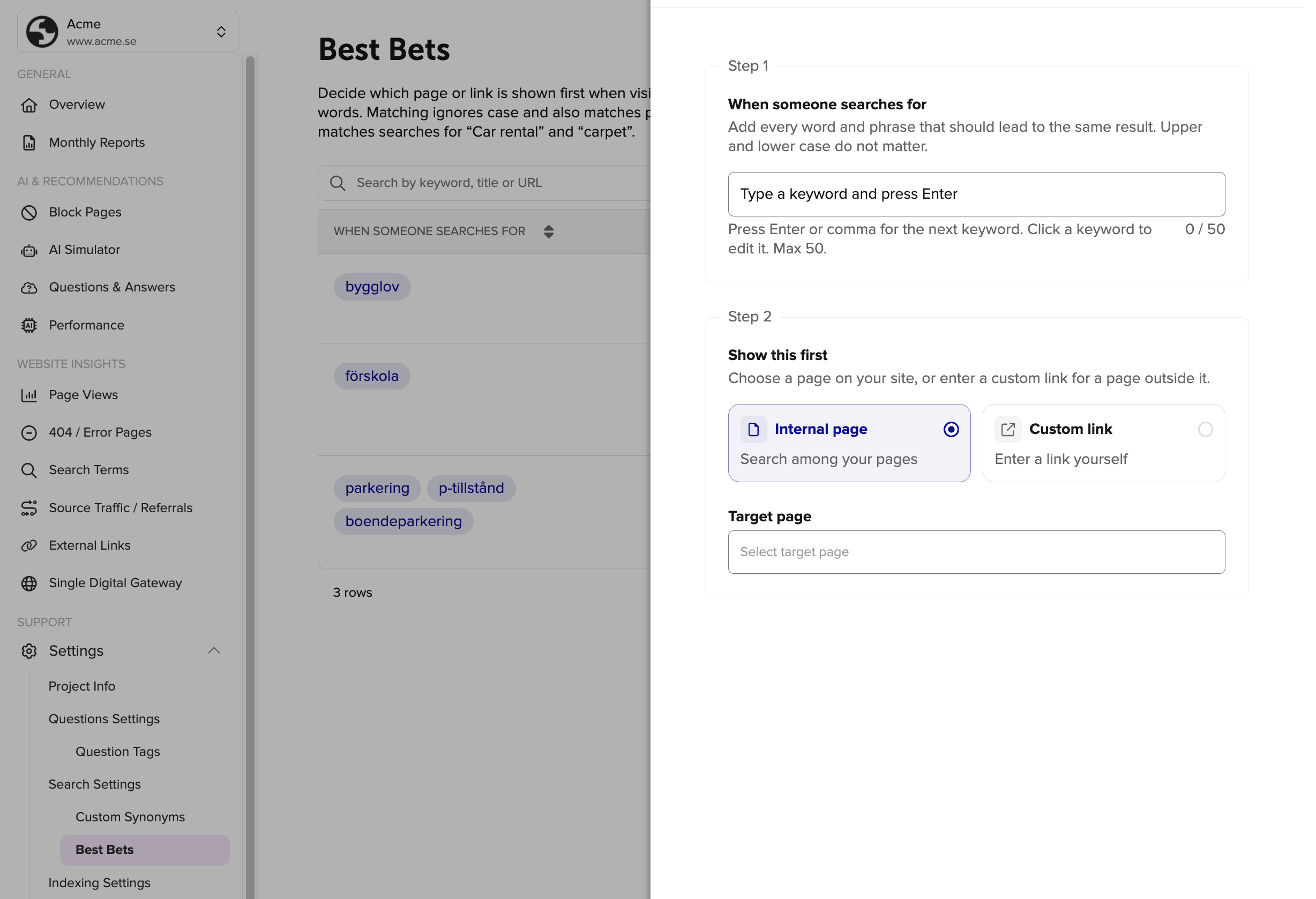
Step 1: When someone searches for
Add every word and phrase that should lead to the same result, for example "bibliotek", "öppettider bibliotek" and "låna böcker". Press Enter or comma between keywords, and click a keyword to edit it. You can add up to 50 keywords.
Step 2: Show this first
Choose what should be shown first:
- Internal page: search among the pages on your site.
- Custom link: enter a link yourself, for example to an e-service or another page outside your site.
Step 3: Link details
For an internal page, the URL and title are taken from the page you chose. You can also add a description.
Click Save when you're done.
Manage Best Bets
All Best Bets are listed with their keywords, the page shown first and their status. Use the search field to find a Best Bet by keyword, title or URL, and use the buttons under Actions to edit or manage it.